
Triora
Your Downloads folder, finally tidy. All by itself.
Overview
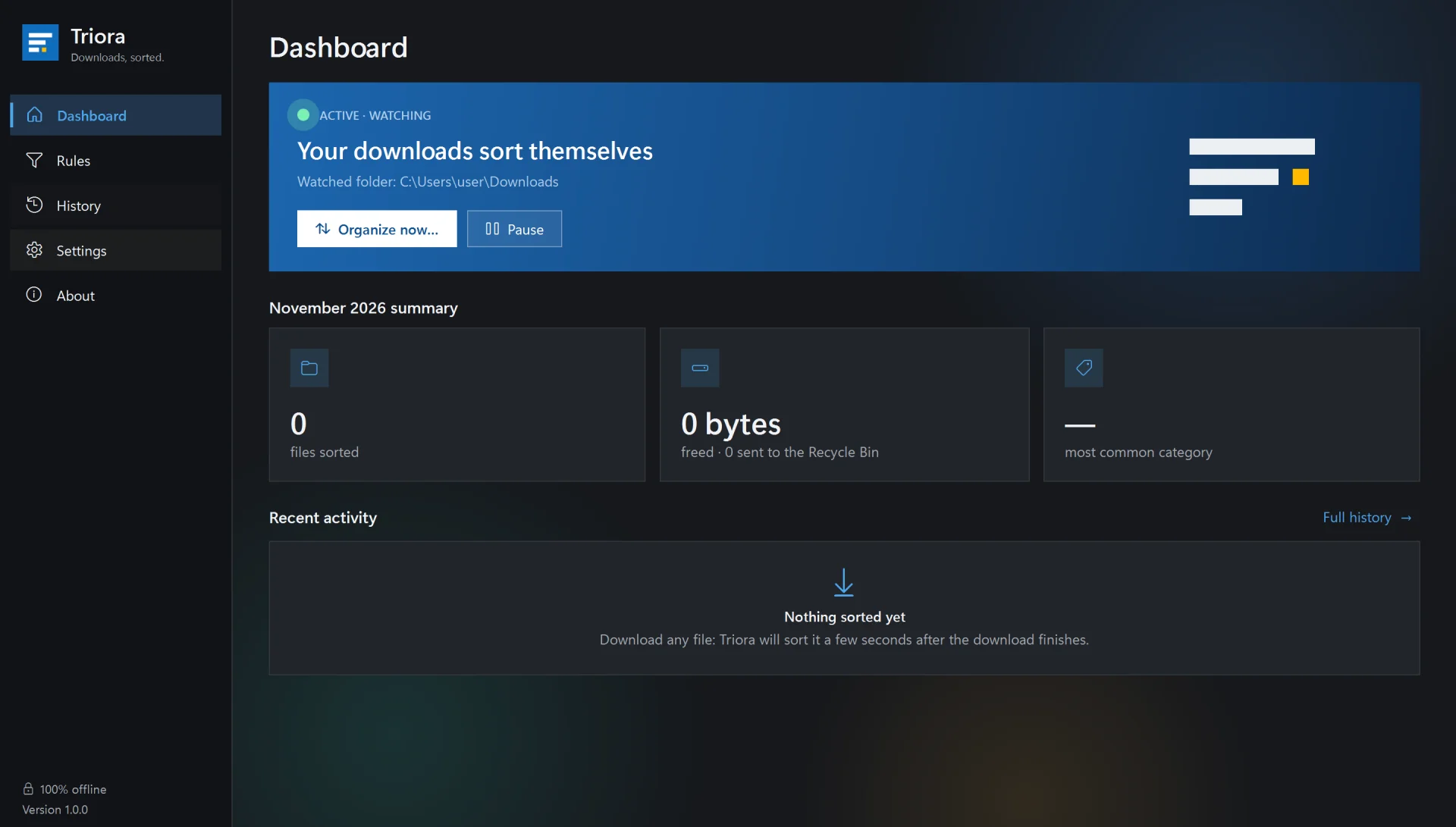
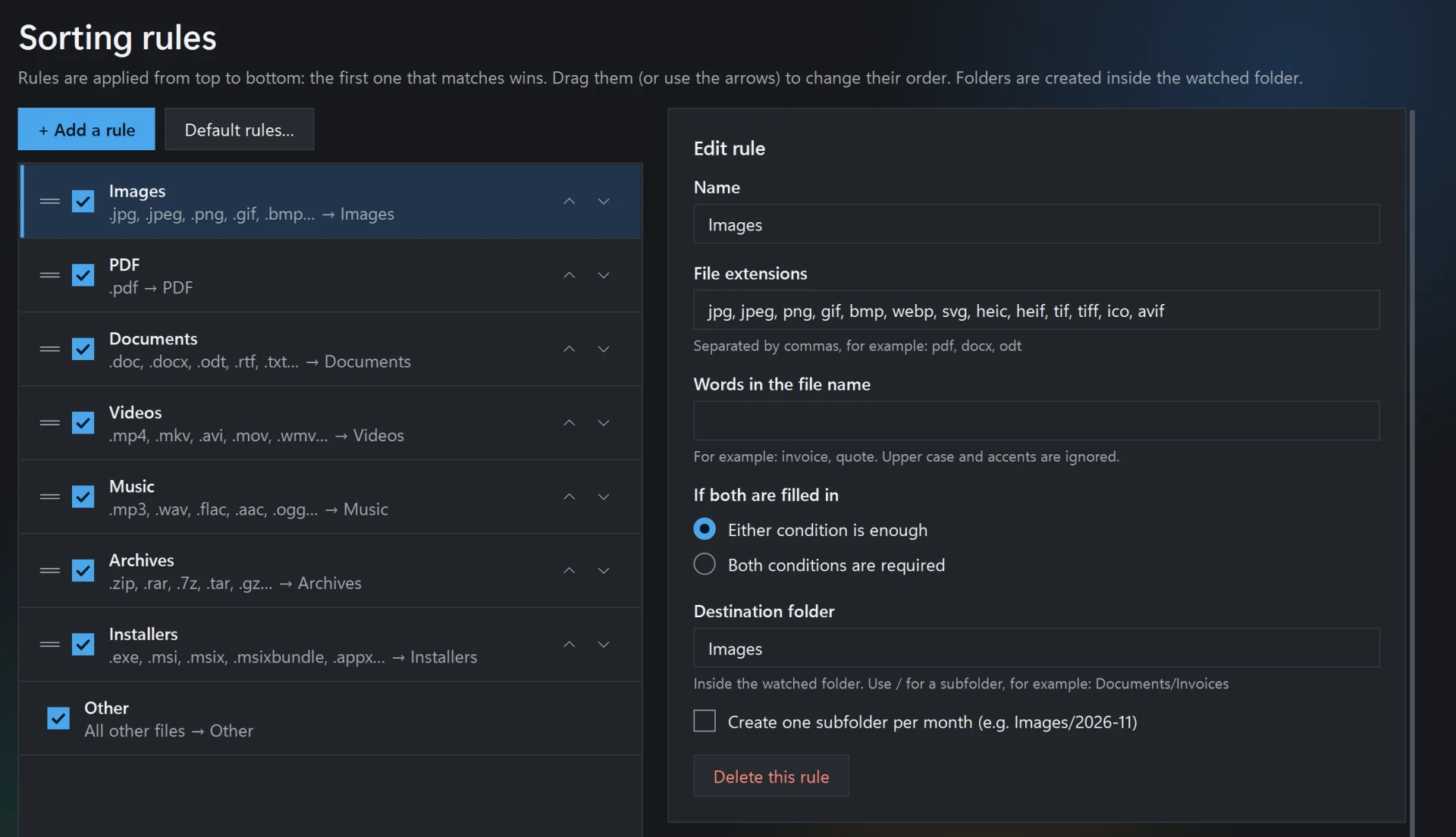
Triora works discreetly near the clock and stores your downloads folder for you. As soon as a download finishes, the file leaves in the correct folder: Images, Documents, PDF, Videos, Music, Archives or Installers. You can also create your own rules with a few clicks (for example, any file containing "invoice" goes to Documents/Invoices).
No file is ever lost. Triora never overwrites or permanently deletes anything, and each tidy undoes itself with a click. It ignores pending downloads, spots duplicates and pauses during your full-screen games.
100% offline: no account, no ads, no data sent. Windows 10 and 11, in French and English. One-time purchase, without subscription.
Features
-
Automatic tidying: each completed download goes directly into the correct folder.
-
Ready-to-use categories: Images, Documents, PDF, Videos, Music, Archives, Installers, Others.
-
Custom rules, without technical skills: by file type, by name word, one subfolder per month, o
-
Tidy up now: clean up the files already present, with a preview before confirming.
-
One-Click History and Undo: Put a file, or a whole series, back in its place.
-
Never overwritten: conflicting names are renamed automatically, for example "file (2). pdf".
-
Detection of duplicates (identical content): to be ignored, put in "Duplicates" or put in the trash.
-
Cleaning old installers (optional): proposes to move unnecessary .exe/.msi files to the trash, never without a vote
-
Monthly summary: files stored and space released.
-
Auto-pause during full screen games and presentations.
-
Discrete notifications (can be deactivated), and quick commands from the icon next to the clock.
-
Light and dark theme, which follows Windows.
-
Interface in French and English, modifiable at any time.
-
100% offline: no account, no advertising, no data collected.
Details
- Current version
- 1.0.2 · released on 16 Nov 2026
- Supported platforms
- Windows
- Category
- Processing
- Minimum requirements
Windows 10 or Windows 11, 64-bit
64-bit processor (x64)
2 GB of random access memory
200 MB of free disk space
Screen: 1280 × 720 minimum
No internet connection required
No administrator rights needed
Nothing else to install (.NET is included)
Latest versions
Version 1.0.2 · Windows · 16 Nov 2026
No release notes.
License terms
The license terms set out in Article 4 of the terms of sale apply.
Frequently asked questions
Can Triora lose or delete my files?
No. Triora just moves the files into subfolders of your chosen folder. It never overwrites a file and never permanently deletes anything. Each movement is recorded and canceled in one click from the History.
Where do my files go?
In subfolders created inside your Downloads folder: Downloads\Images, Downloads\PDF, Downloads\Documents, etc. Nothing leaves the folder you chose.
What happens to a file being downloaded?
Triora ignores him. It waits until the download is completely finished and the file is no longer used by any program, then stores it a few seconds later.
Does Triora slow down my computer?
No. Triora doesn’t constantly scan your disk: Windows just warns it when a new file arrives. The rest of the time, it does nothing, and even pauses during your full screen games.
Does it work with my browser?
Yes, with all browsers (Chrome, Edge, Firefox, Opera, Brave...) and all download managers. Triora monitors the folder, not the browser.
And the files already present in my Downloads?
They are not affected automatically. Click "Put away now" to see a preview of what would be moved, uncheck what you want to keep in place and confirm.
Customer reviews
No reviews yet.
Reviews can only be left by customers who bought the app (verified purchase).